Knowledge Base Logo Knowledge Base

How do I set up my VAT exemption as a small business?

Are you exempt from VAT as a small business and want to set this up correctly? Follow the steps below to ensure that your invoices meet the legal requirements.
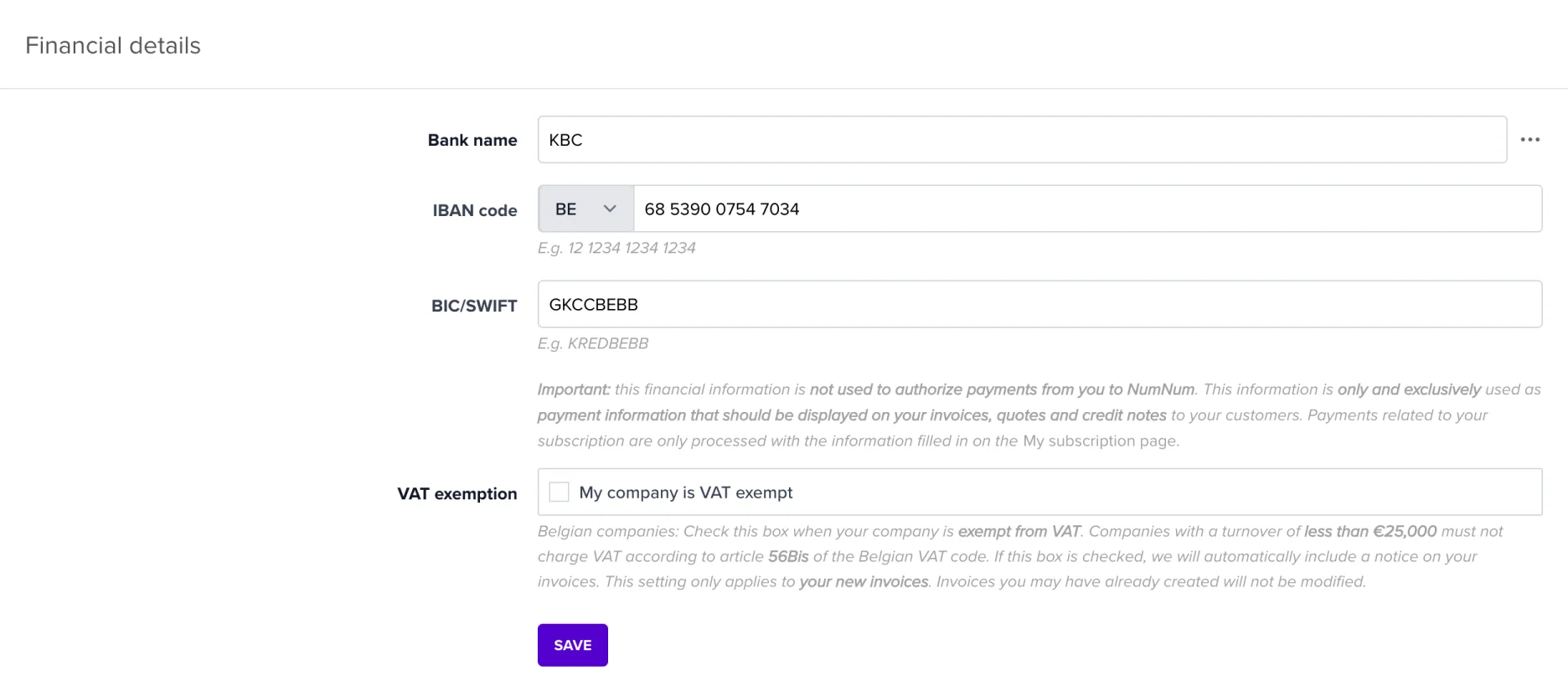
Activate VAT exemption

  1. Go to your company settings
    • Click on your name in the top right corner and choose Company settings.
  2. Select the correct VAT regime
    • Find the Financial details section.
    • Look for the option VAT exemption for small businesses and check it

Frequently asked questions

Do I need to adjust my existing customers?

No, the exemption applies to your entire business. New invoices will automatically be created without VAT.

What if I become VAT liable again?

Adjust your VAT regime again in the settings and check your invoice numbering.

Do you have any questions? Feel free to contact our support team.

Other topics

Peppol - General
Peppol - Practical
Invoicing
Integrations
Account and security
Integrations and export