When an invoice comes in via Peppol, you can also process it from your phone. In the app’s Inbox, you check the invoice and import it as an expense in a few taps, or reject it.
ℹ️ You see the Inbox if your company receives invoices via Peppol and you have the permissions to process incoming documents. How this works in the web version is explained in How do I process incoming invoices?
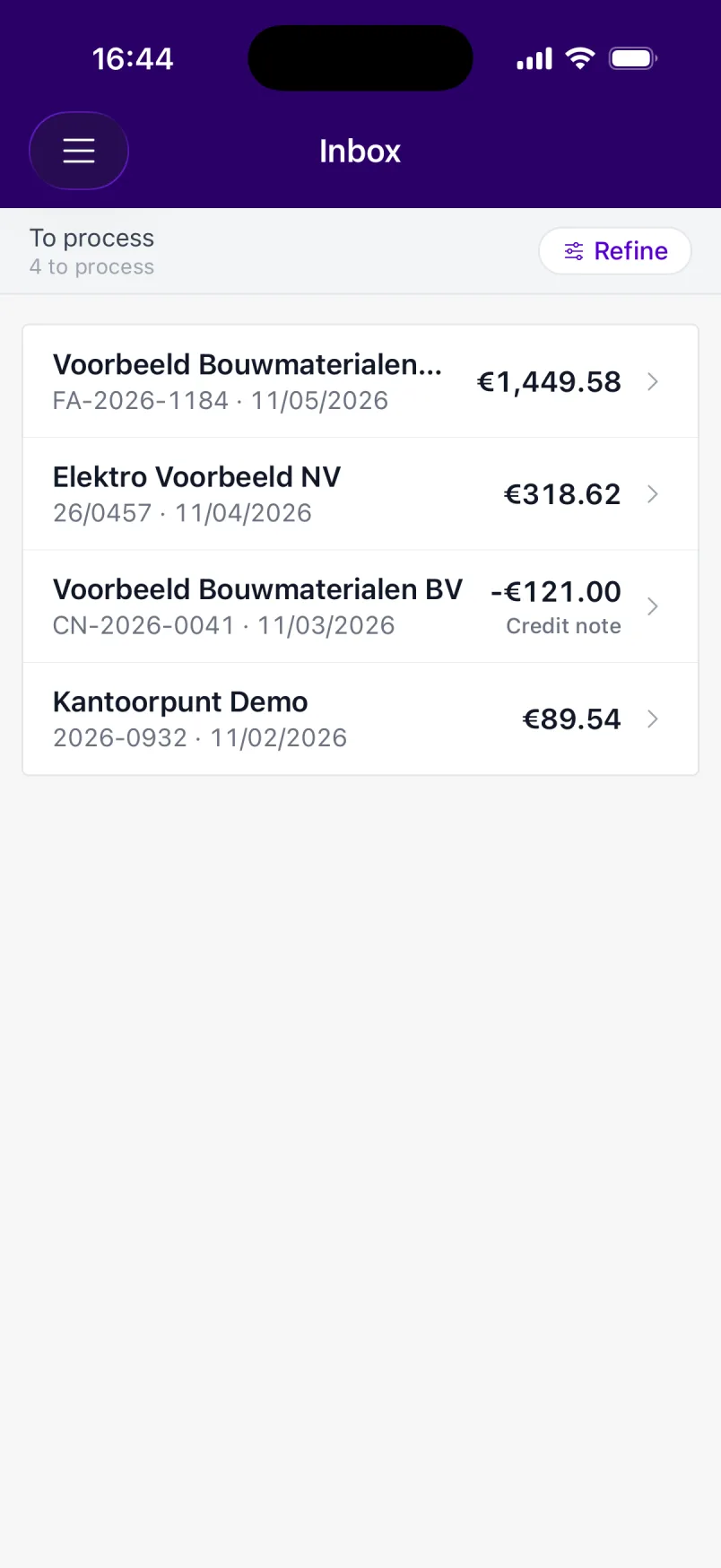
Tap Inbox in the menu or on the home screen. The number on the tile shows how many documents are still waiting to be processed.
At the top, you choose which documents you see:
You recognise a credit note or self-billing document by the Credit note or Self-billing label.
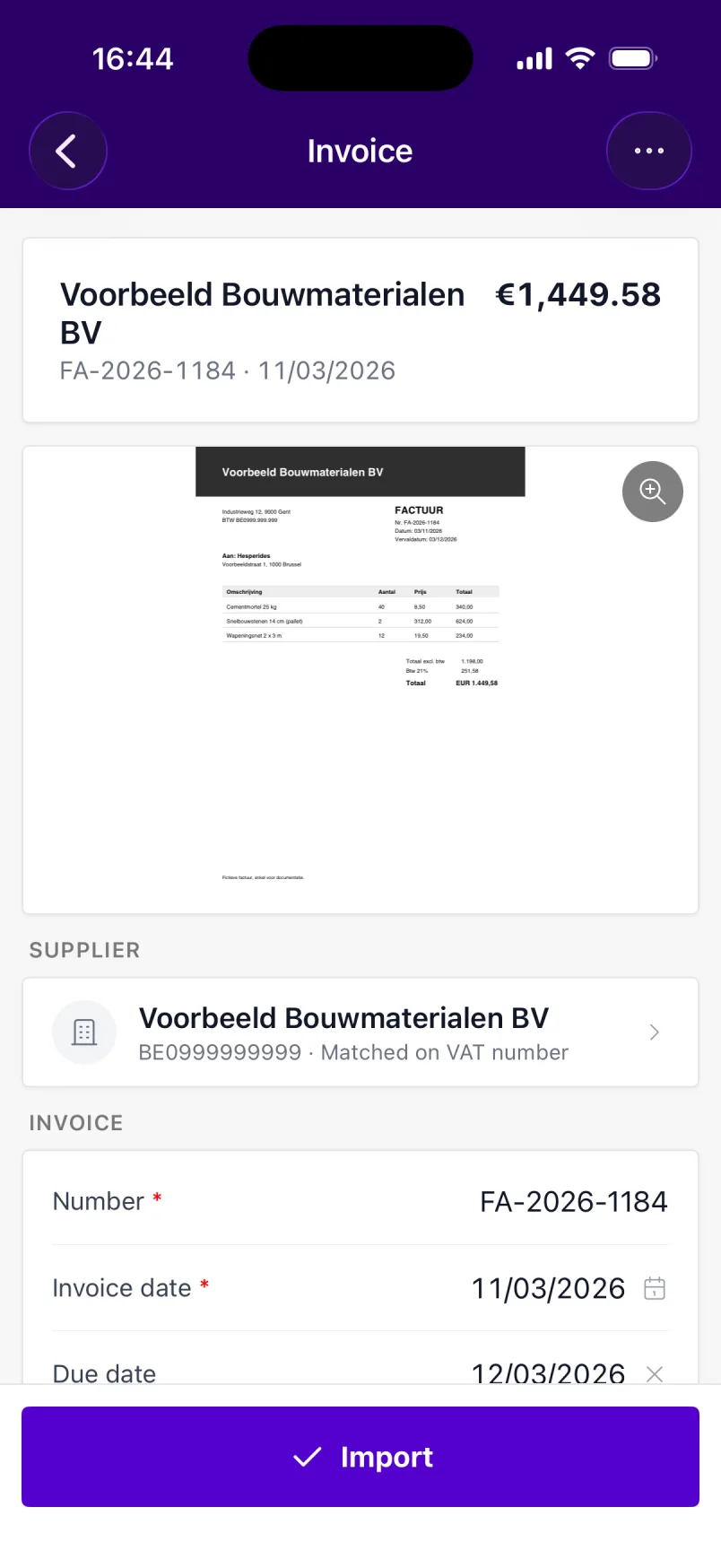
The invoice is now in your expenses. Tap Next document to process the next document straight away, or View expense to open the expense.
Does a document not belong to you, or is it wrong? Tap the menu in the top right and choose Reject. The document isn’t imported and disappears from To process. The supplier isn’t notified: contact them yourself if you want a new invoice.
Rejected one by mistake? Open the document under Rejected and tap Restore.
Some documents are processed in the web version:
When a new Peppol invoice comes in, you get a push notification. Tap it to open the document right away. If several come in at once, the app bundles them into one notification that opens the Inbox.
Which notifications you receive as a push notification is set in the web version. See Setting notifications.
