For effective invoicing via the Peppol network, it is essential to correctly set your customer’s Peppol Endpoint ID. This ensures that your invoice is accurately delivered to your customer’s specific digital mailbox on the Peppol network, similar to entering a correct email address when sending an email.
More information can be found in the following articles:
In 95% of cases, the Peppol Endpoint ID is automatically generated by our system when you enter your customer’s VAT number. This means the system uses the VAT number to create a corresponding Peppol ID, greatly simplifying the process.
If you need to enter a custom Endpoint ID because it differs from the customer’s standard VAT number, you can proceed as follows:
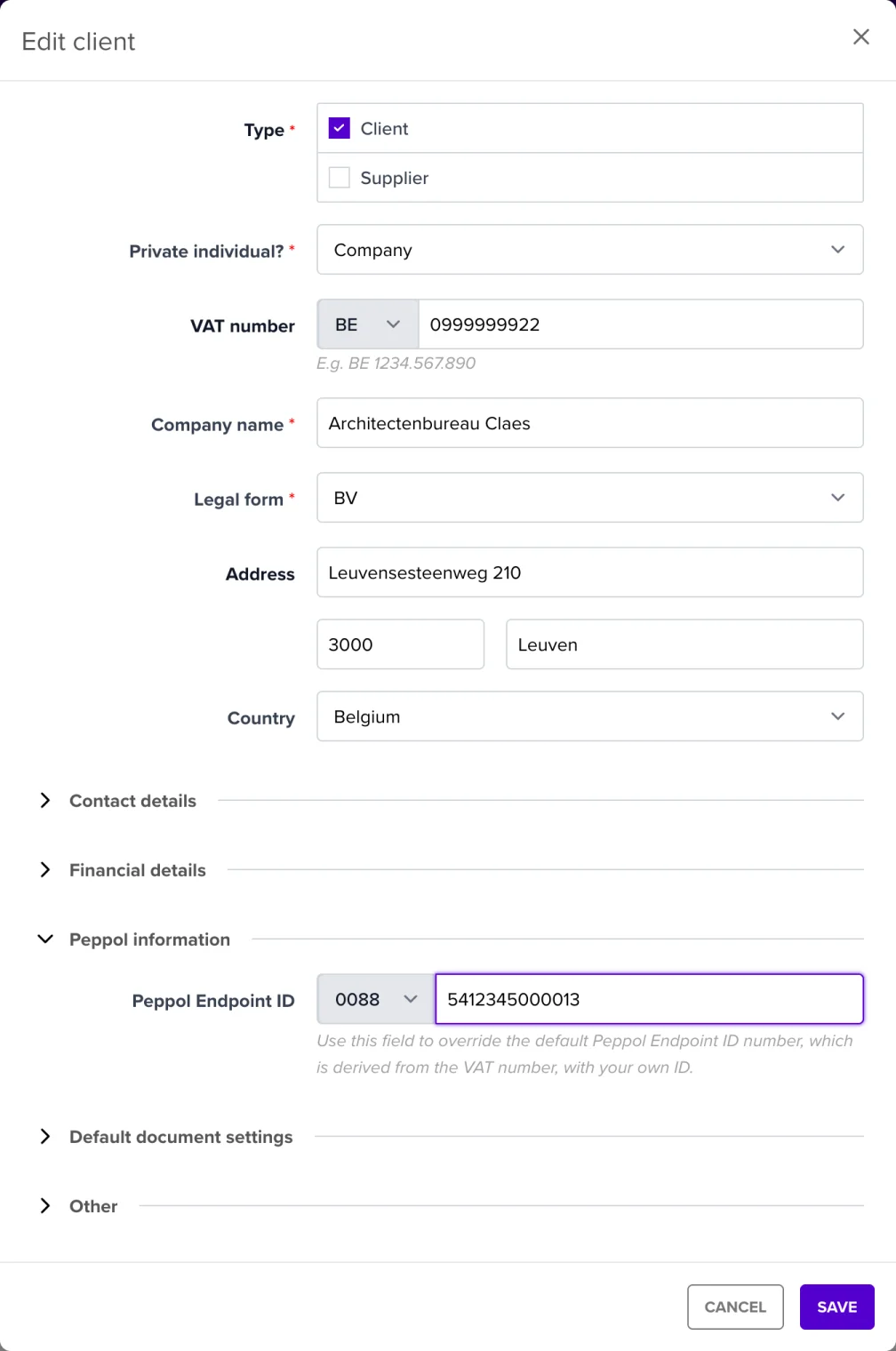
Some organizations, such as schools, hospitals, and large companies with multiple locations, use a GLN number (Global Location Number) as their Peppol Endpoint ID instead of their VAT number. This is because they want to receive invoices at a specific location or department within their organization.
How do you set this up?
Example:
A hospital asks you to send invoices to GLN 5412345678901 so that they are received by the correct procurement department. You enter this number in the customer’s financial details, and NumNum ensures the invoice is delivered correctly.
For more information about finding the correct Peppol Endpoint ID of your customer, refer to the following article:
By carefully following these steps, you ensure that your invoicing process via Peppol runs efficiently and without errors. This contributes to better reliability and professionalism in your business transactions.
