Does your accountant use accounting software without a direct integration with NumNum? No problem: many packages (such as Adsolut by Wolters Kluwer) work with a digital mailbox: an email address you send your documents to, which the accounting software reads in automatically. NumNum can mail your documents straight to it, as PDF and as UBL/XML.
💡 Does your accountant use a supported platform (Clearfacts, Billtobox, Octopus, …)? Then preferably use that integration; it forwards automatically and in some cases also returns information (such as payment statuses).
You can configure separate addresses for sales and purchase documents:
| Field | Used for |
|---|---|
| Email address export invoices/credit notes | Your sales documents |
| Email address export expenses | Your purchase documents (expenses) |
| Email address export to myself | The default address for “Export to myself”, and the fallback if the two fields above are empty |
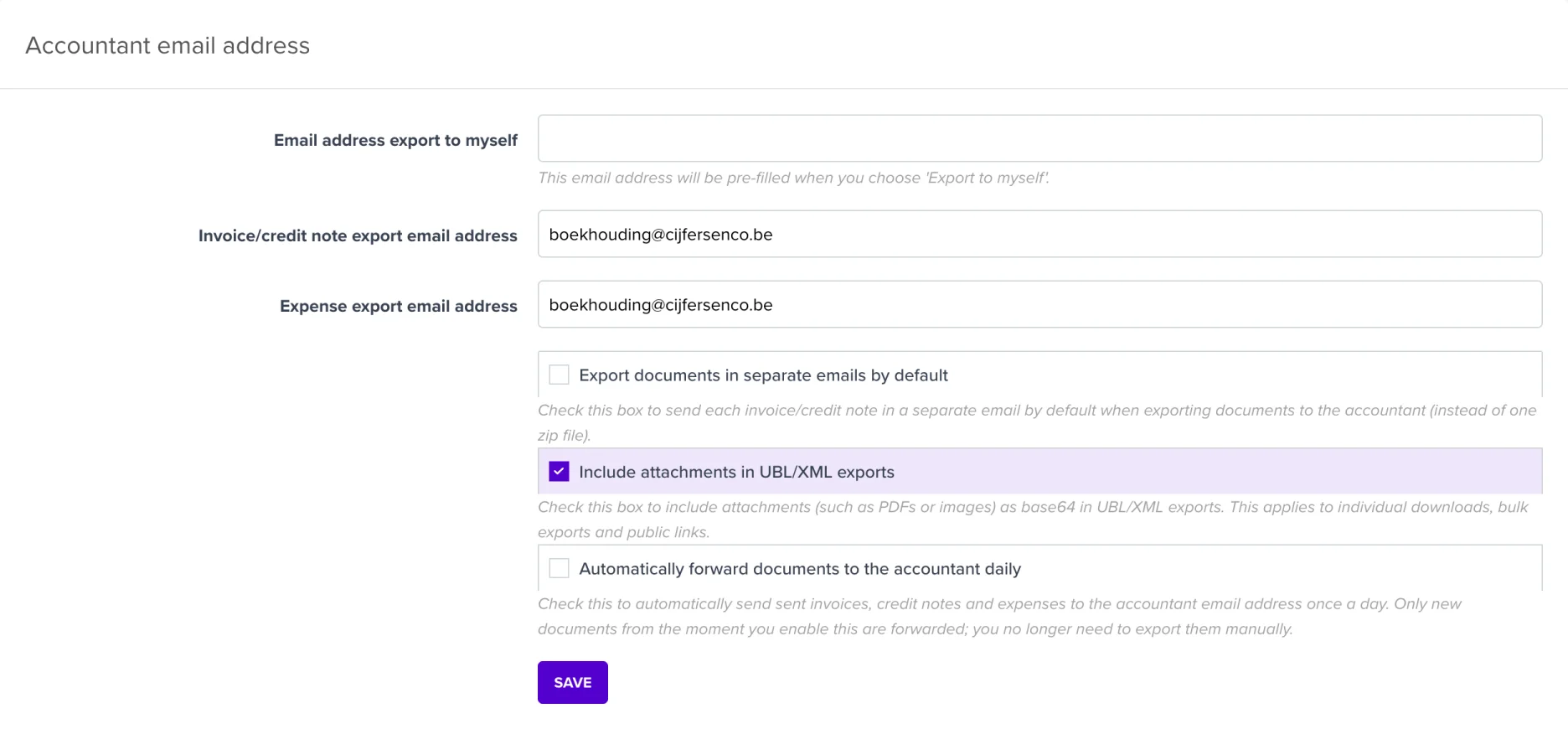
⚠️ Important for a digital mailbox (such as Adsolut): also tick Export documents in separate emails by default. An automated mailbox cannot open a zip download link; with this option the mailbox receives each invoice as a separate email with attachments, so everything is imported correctly. For known mailbox addresses (including Octopus, Clearfacts, Yuki) this happens automatically, but for other addresses it’s best to enable it yourself.
Every exported document gets an entry in its Export history (labelled Export to accountant), so you can always check what has already been forwarded. In the lists you can also filter on documents not yet in the accounting.
Don’t want to think about it anymore? Then tick Automatically forward documents to the accountant daily on the same page:
ℹ️ If you have an active accounting integration (e.g. Clearfacts or Wings), this option is not available: that integration already forwards your documents automatically, and this way we avoid documents arriving at your accountant twice.
My accountant says nothing arrives in the mailbox. Check that the email address is set correctly and that Export documents in separate emails by default is ticked. Without that option, an automated mailbox only receives a download link it cannot open.
Which format does my accountant need? Almost every Belgian accounting package imports UBL/XML. Include the PDF if your accountant also wants to keep a visual copy of the document. In doubt? Just ask; including both is always possible.
Does this also work for quotes or proformas? No, only invoices, credit notes, expenses and purchase borderelles are forwarded to your accountant.