Sage BOB 50 is accounting software used by many accountants. Through the integration with Bob Demat, Sage BOB 50 fetches your invoices, credit notes, expenses and purchase borderelles straight from NumNum. Your accountant no longer has to import anything manually.
The integration works differently from a classic export: NumNum doesn’t send anything itself. You release documents, and Sage BOB 50 picks up those released documents during the next sync.
💡 Good to know: expenses that still need to be reviewed (for example after a receipt was scanned automatically) are only fetched once you have confirmed them.
Often your accountant sets up the integration from their own environment. In that case you only see the status of the integration, with a message saying it is managed by your accountant. Want to change or remove it? Contact your accountant.
If you’re allowed to manage the integration yourself (depending on your subscription), follow the steps below.
You connect Sage BOB 50 with a short pairing code. Keep Sage BOB 50 at hand, because the code is only valid for 10 minutes.
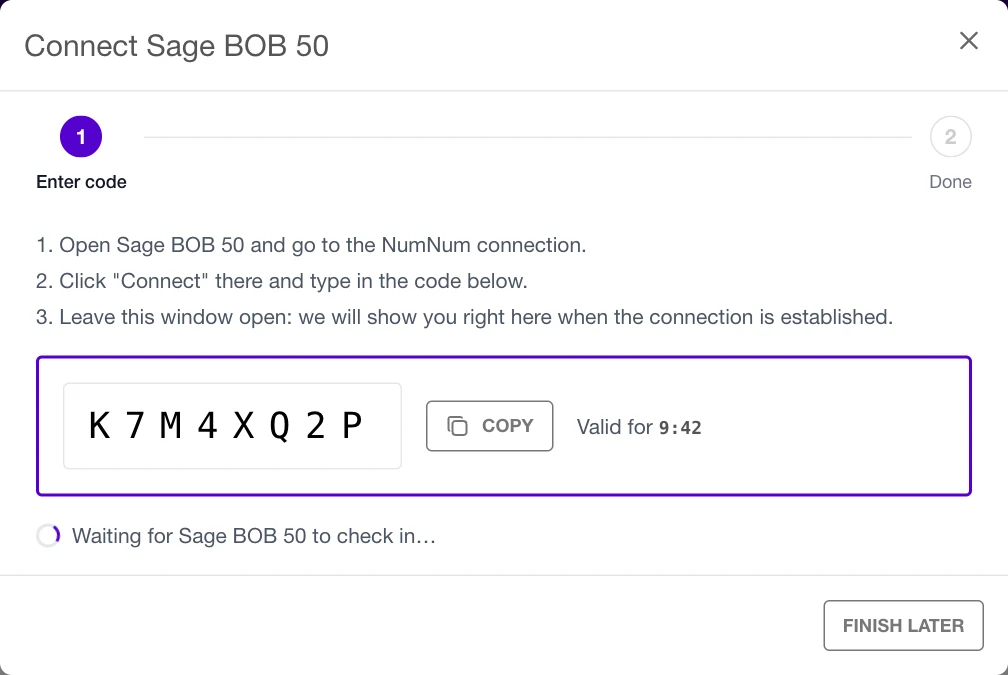
From then on your company is connected and your released documents are fetched automatically.
💡 Tip: did the code expire before you could enter it? Click New pairing code and try again. Need to step away? Finish later closes the window without changing anything.
Invoices and credit notes you send to your customer by e-mail or via Peppol are released automatically by default. Prefer to release each invoice yourself? Then turn off the option Automatically release invoices after sending under Settings on the integration.
Everything else, such as expenses and invoices that were already sent before you set up the integration, you release yourself:
The selected documents are now released and will arrive in Sage BOB 50 during the next sync. You can safely close the window.
💡 Tip: you can only release finished documents. Invoices and credit notes must already have been sent to your customer.
Behind the scenes, Sage BOB 50 uses an API token to fetch your documents. On the integration page you see the status of that token: the characters it ends with, when and by whom it was created, and when it was last used.
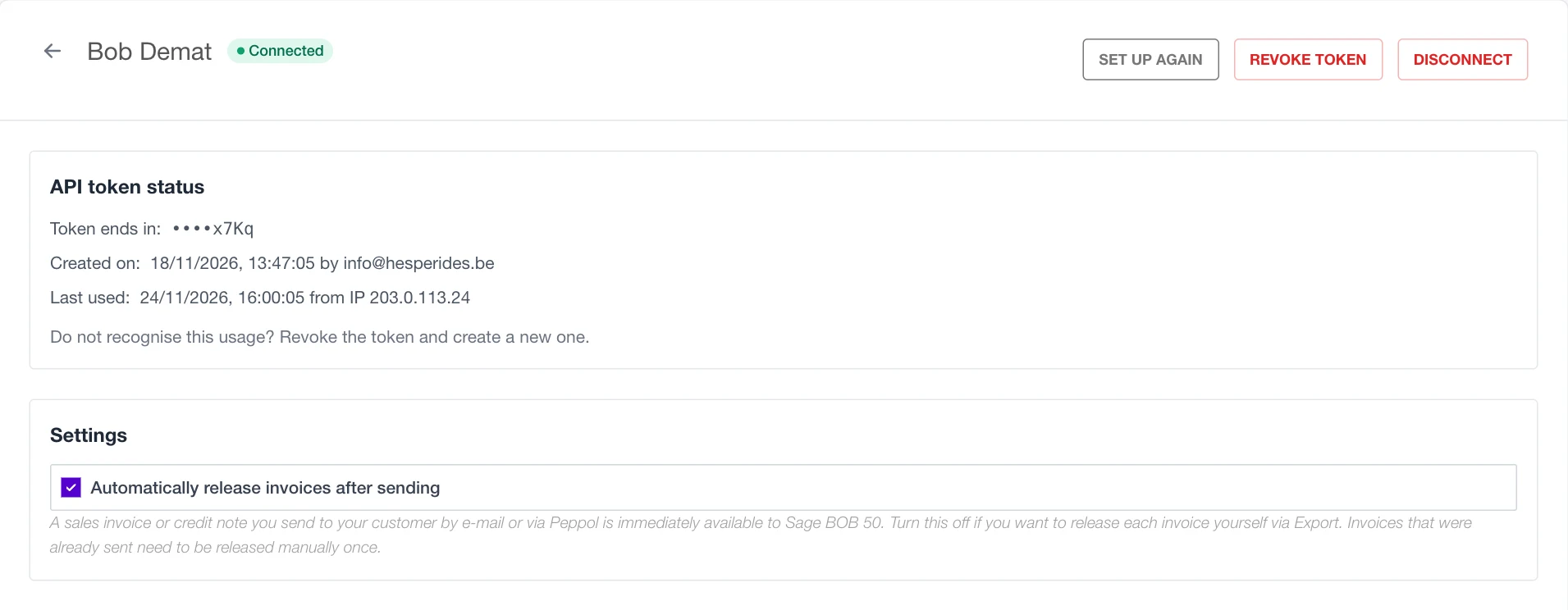
The following buttons are available:
| Button | What happens? |
|---|---|
| Set up again | You create a new pairing code, for example after reinstalling Sage BOB 50. The previous connection stops as soon as Sage BOB 50 uses the new code |
| Revoke token | The token stops working immediately, but the integration itself stays in place. Useful if you suspect the token has leaked |
| Disconnect | The integration is removed completely and Sage BOB 50 no longer fetches any documents |
Every time the token is created, renewed or revoked, you receive an email. Don’t recognise the action? Revoke the token right away and contact help@numnum.be.
| Document type | Can be released |
|---|---|
| Invoices | Yes (after sending) |
| Credit notes | Yes (after sending) |
| Expenses | Yes (after review) |
| Purchase borderelles | Yes |
| Quotes and proformas | No |
No. Besides Bob Demat, there is also an older integration that sends documents to Sage BOB 50 via FTP/SFTP. We set that one up for you: contact help@numnum.be. For new integrations we recommend Bob Demat.
You’ll find an overview of all supported packages in Which accounting software is compatible?.
Are your documents not arriving in Sage BOB 50? Check the following:
Still not working? Get in touch via help@numnum.be.
Thanks for your feedback!
Thanks for your feedback. Didn't find what you were looking for?